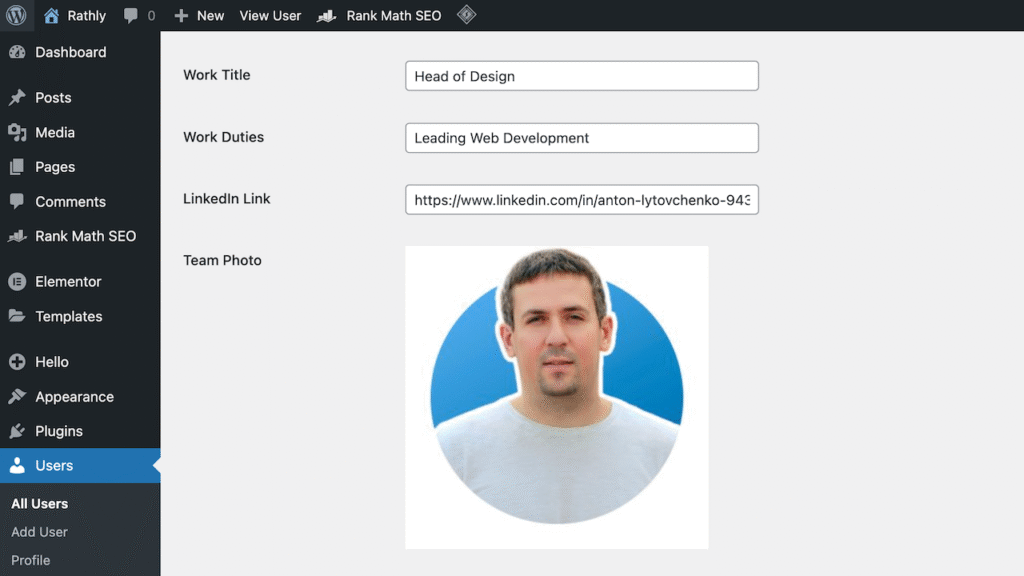
Rathly Profile Avatars is a simple custom author avatar plugin for WordPress. It lets each user upload their own profile image from the WordPress Media Library instead of relying on Gravatar.
That matters when your site has real authors, team members, doctors, attorneys, contributors, or support staff. A missing author photo can make a good article feel unfinished. A clear headshot helps readers connect the content to a real person.
With Rathly Profile Avatars, you can set a WordPress custom avatar from the user profile screen. No separate Gravatar account. No code. No third-party image service. Just upload the image, save the profile, and WordPress uses it wherever your theme calls the standard avatar functions.
Install from WordPress or GitHub:
Custom author avatar for WordPress without Gravatar
WordPress uses Gravatar by default for user profile pictures. That works fine when every user has a Gravatar account tied to the same email address used on your site. In real projects, that’s often not the case.
Your author may use a different email. Your editor may not want to create another account. Your business may need consistent headshots for all staff profiles. Or you may want avatar images stored inside your own WordPress site.
Rathly Profile Avatars solves that problem by adding an avatar upload field to the user profile page. Each user can choose an image from the Media Library, and WordPress will use that image as the user’s author profile picture.
Custom author avatar plugin features
- Upload a custom user avatar from the WordPress Media Library
- Replace Gravatar on posts, author boxes, comments, admin areas, and other standard avatar locations
- Let each user manage their own profile photo from Users → Profile
- Works with themes that use
get_avatarorget_avatar_url - Uses responsive image sizing based on your theme’s avatar output
- Keeps avatar images inside your own WordPress Media Library
- Falls back to the normal WordPress avatar behavior when a user has no custom image
- Removes plugin data when deleted for a clean uninstall
Who should use Rathly Profile Avatars?
This plugin is built for site owners who want a clean, no-fuss Gravatar alternative. It’s especially useful when your content depends on trust.
| Website type | Why custom avatars help |
|---|---|
| Blogs and magazines | Authors look more credible when every article has a real face attached. |
| Law firm websites | Attorney headshots can stay consistent across bios, posts, and author boxes. |
| Healthcare websites | Doctors, providers, and care team members can use approved professional photos. |
| Dental websites | Patients see a familiar team member before they book an appointment. |
| Membership websites | Users can personalize their profiles without leaving your site. |
| Business websites | Staff pages and blog posts feel more polished with branded profile images. |
Think of it like adding a photo to a business card. The name and title matter, but the face makes the person easier to remember.
How to add a custom author avatar in WordPress
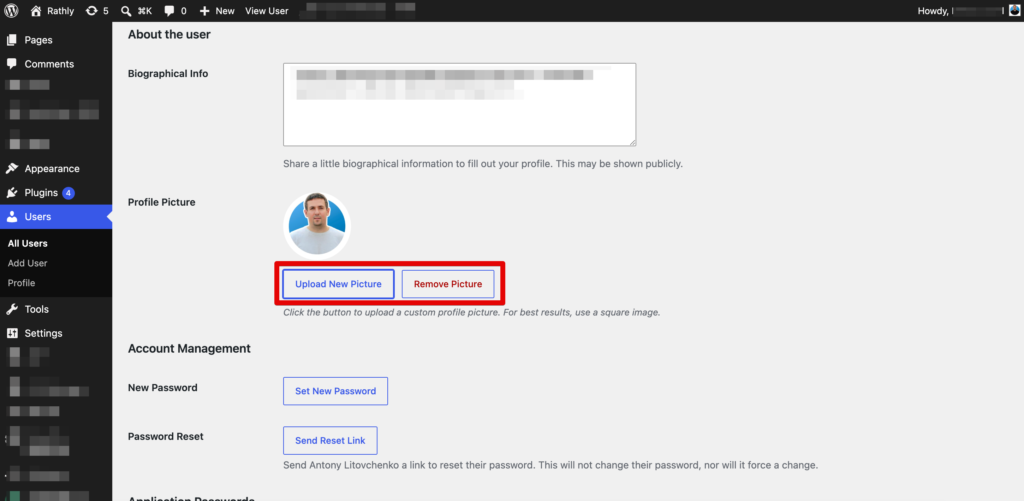
After installing Rathly Profile Avatars, each user can update their own avatar from the WordPress dashboard.
- Go to Users → Your Profile.
- Scroll to the Rathly Profile Avatars section.
- Click Choose Image.
- Select an existing image or upload a new image to the Media Library.
- Click Update Profile.
Your new custom author avatar will appear anywhere your theme uses the standard WordPress avatar output. This may include blog posts, author boxes, comments, user lists, and dashboard areas.
Installation
You can install the plugin from the WordPress Plugin Directory or upload it manually from GitHub.
Install from WordPress
- Go to Plugins → Add New in your WordPress dashboard.
- Search for Rathly Profile Avatars.
- Click Install Now.
- Click Activate.
- Go to Users → Your Profile to upload your avatar.
Install from GitHub
- Download the plugin from GitHub.
- Upload the
rathly-profile-avatarsfolder to/wp-content/plugins/. - Activate the plugin from the WordPress Plugins screen.
- Open your user profile and select your avatar image.
Custom author avatar compatibility notes
Rathly Profile Avatars works best with themes and plugins that use WordPress’s built-in avatar functions. Most well-built WordPress themes do this already.
The plugin hooks into get_avatar and get_avatar_url. That means your uploaded image can replace the default Gravatar in many common spots without editing theme files.
For best results, upload a square image. A 500 × 500 pixel headshot works well for most author boxes, comment sections, and profile layouts. Use a clear face, simple background, and consistent crop if your site has multiple authors.
Gravatar vs Rathly Profile Avatars
| Feature | Gravatar | Rathly Profile Avatars |
|---|---|---|
| Requires a separate account | Yes | No |
| Uses WordPress Media Library | No | Yes |
| Managed from the user profile page | Limited | Yes |
| Good for brand-approved staff photos | Harder to control | Easier to manage |
| Works with standard WordPress avatar output | Yes | Yes |
| Keeps images on your own site | No | Yes |
Gravatar is still useful for many sites. But when you need a local WordPress custom avatar that’s managed directly inside WordPress, Rathly Profile Avatars gives you a cleaner workflow.
Related WordPress and website resources
Need more help with your WordPress site? Rathly also offers WordPress hosting, web design services, and SEO services for businesses that want their website to look better, load faster, and bring in more qualified leads.
You may also like our other WordPress tools, including Change Author Base and 410 Response Manager.
Build a cleaner author experience
Your authors deserve better than a blank mystery icon. With Rathly Profile Avatars, you can add a polished custom author avatar in minutes and keep profile images inside WordPress.
Install the plugin, upload your first avatar, and give readers a real person to connect with before they read the next post.
Frequently asked questions
What does Rathly Profile Avatars do?
Rathly Profile Avatars lets WordPress users upload a custom profile image from the Media Library. Once saved, that image replaces the default Gravatar in places where your theme uses standard WordPress avatar functions, including author boxes, comments, and user profile areas.
Can I use this plugin without a Gravatar account?
Yes. The plugin is made for site owners who want a custom author avatar without creating or managing a Gravatar account. Users can choose an image from the WordPress Media Library and save it directly from their profile page.
Will this replace every avatar on my WordPress site?
It replaces avatars anywhere your theme or plugin uses WordPress’s standard get_avatar or get_avatar_url functions. If a custom template uses a separate image field or custom code, that area may need a small theme adjustment.
What image size should I use for a custom author avatar?
You can upload any image size, but a square headshot usually looks best. A 500 × 500 pixel image gives most themes enough resolution for author boxes, comments, and profile layouts while keeping the crop clean and consistent.
What happens if I remove the plugin?
If you deactivate the plugin, WordPress returns to its normal avatar behavior. Your uploaded images stay in the Media Library. If you delete the plugin, its saved plugin data is removed during the uninstall process.